
Trip Planning Tool
Google Transit makes it easy! Just enter your desired trip information below using a street address, cross streets, or major landmarks, and pick your desired travel time. Google does the rest!
You will likely be given several options to choose from. Each will include walking directions to and from the nearest bus stop along with applicable route numbers, transfer information, fare and total travel time.
Accessing the Google Trip Planning Tool on a Mobile Device
- Open the Google Maps app on your phone or tablet.
- Search for your destination in the search bar at the top.
- At the bottom, tap on “Directions.”
- At the top, select your transportation mode. For public transportation options, select transit.
- Select your preferred route.
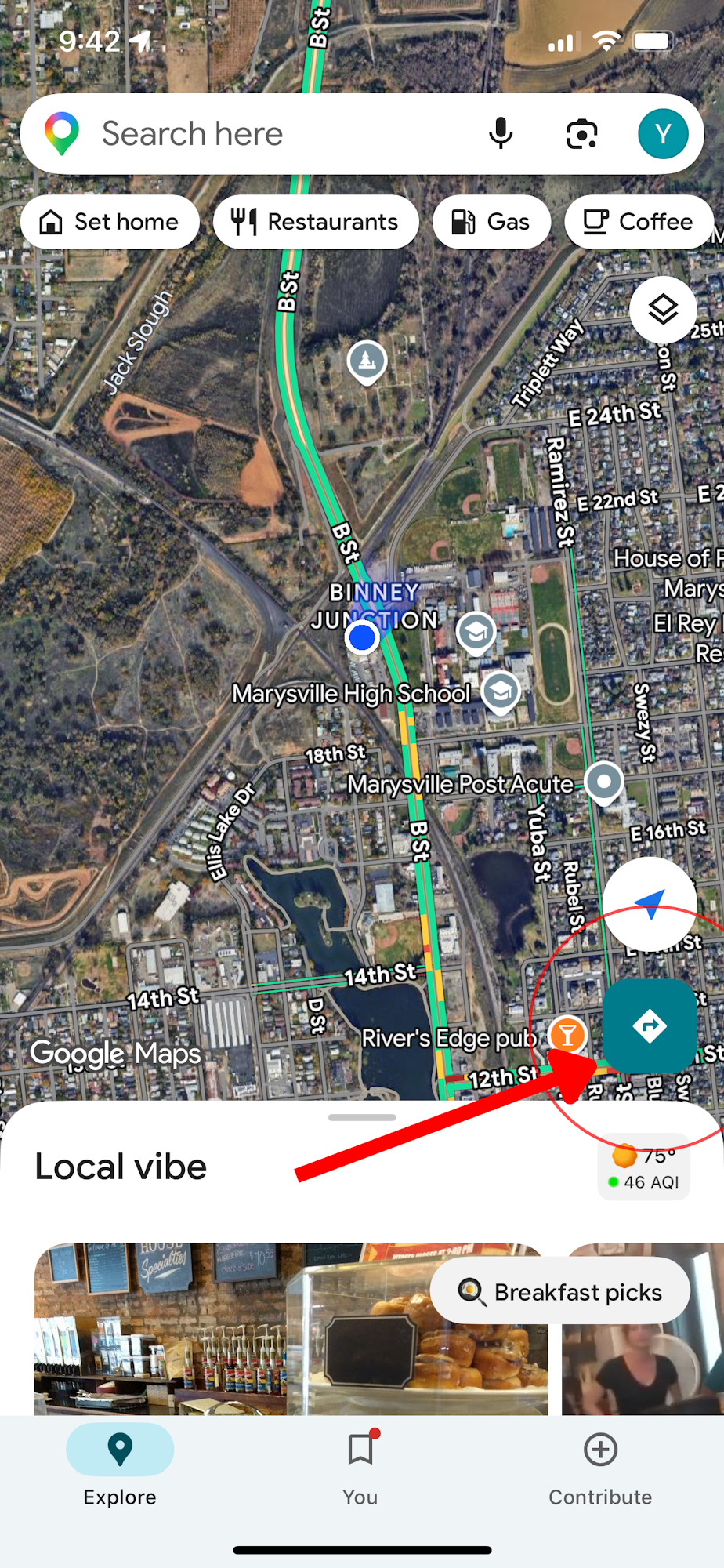
Select the "Directions" tab to enter addresses and locations
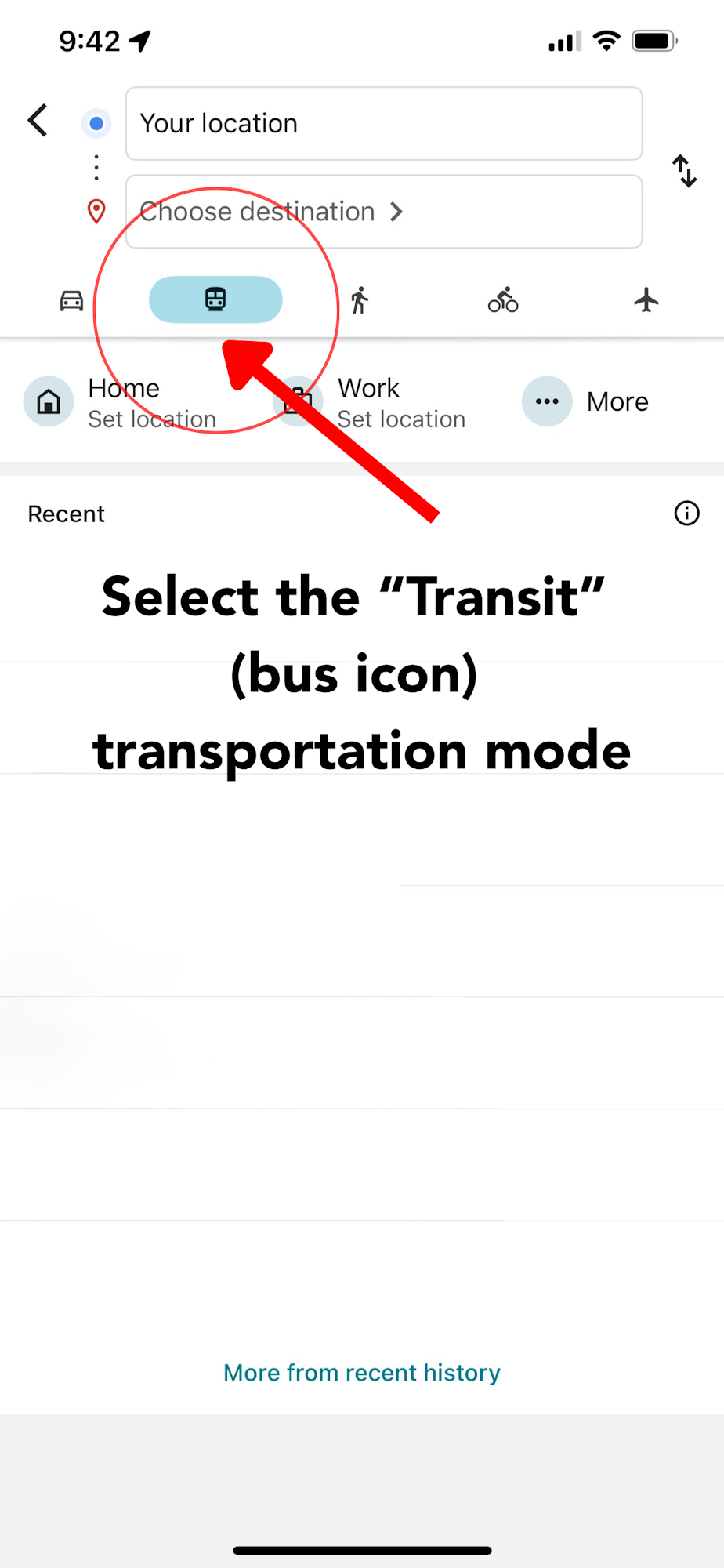
Select the "Transit" bus icon
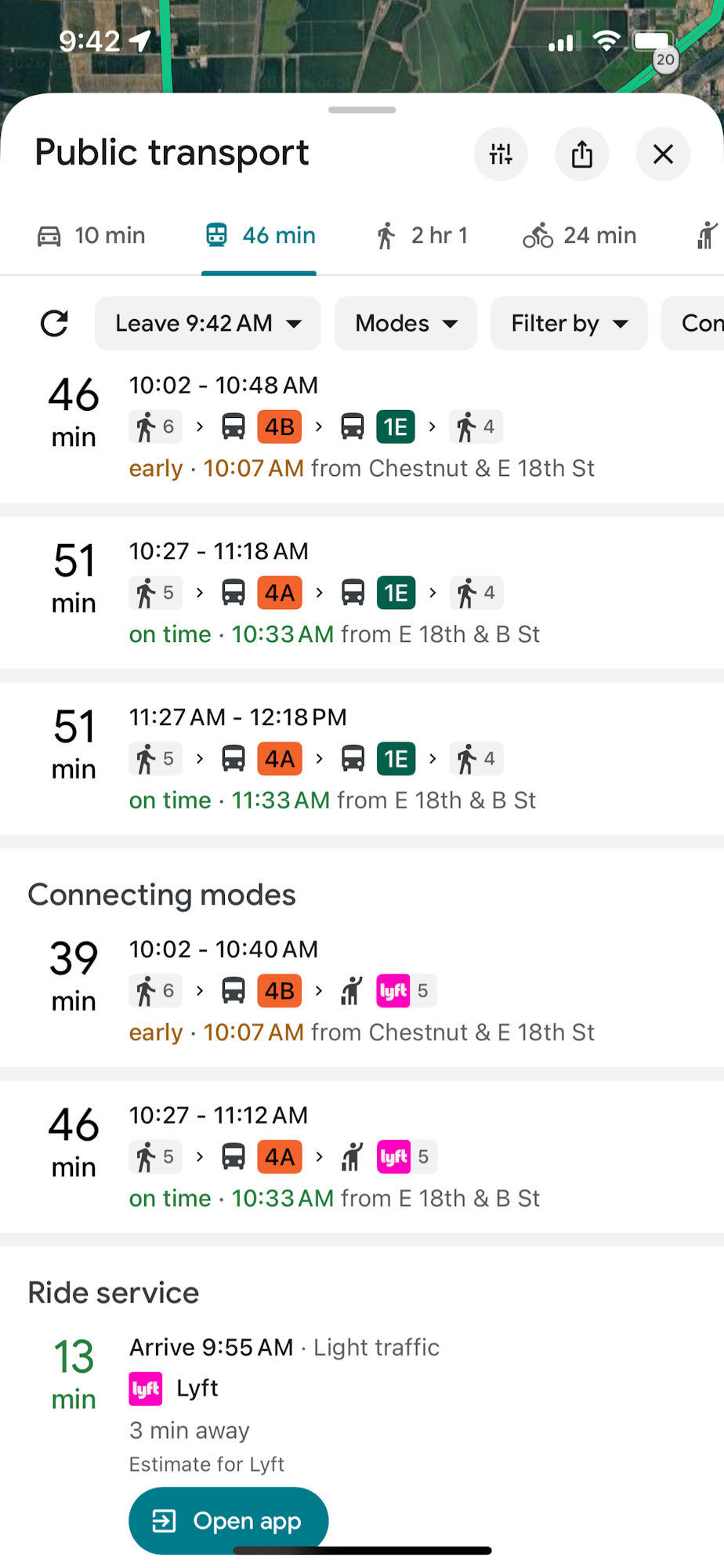
Select your preferred route
